
Plugins
We partner with PSUG Asia to provide support for the following plugins:


Parent Teacher Conference
The PTC plugin allows you to easily setup a conference and allow parents to sign up via the PowerSchool Public Portal. All of it is done completely inside PowerSchool.
Complete Module
This plugin is a complete solution that includes setting up multiple conference sessions, creating time slots, sign up by parents and students, letting teachers review their conference schedules and checking on sign up progress via reports.
Must Meets
While choosing to meet a teacher or not is the parent’s choice, Admin and Teachers can specify if certain parents must meet particular teachers (such as cases where the student is struggling in some classes).
Blocking Specific Times
Admin and Teachers have the ability to block specific times from being booked. If the conference is running on a school day, you can also configure the plugin to automatically block times when the teacher is in class.
Separate Signup Periods
You can define separate signup periods for general and priority students (eg faculty students).
Conference Substitutes
You can designate substitute teachers for the conference without needing to edit PowerSchool’s schedule (useful for subjects like PE).
Marking it on the Calendar
Parents and Teachers can import their PTC schedule into their Calendar application of choice.
Localization
The parent facing side fully supports PowerSchool’s localization. You can make the pages show in any language you want.
Co-curricular Activities
After School Activities sign up has never been this easy! Fully embedded inside PowerSchool. Teachers and/or coaches can take attendance, create reports, grade the students and can even see the students data just like any other section in PowerTeacher! Parents and/or students can sign up for the CCA in the public portal.
Complete Module
This plugin is a complete solution that includes setting up multiple activity sessions, creating the activities, sign up by parents and students, letting teachers see which students are in which activity and checking on sign up progress via reports.
Flexibility
Everybody does CCA differently. This plugin is designed with features to fit different situations. Some examples:
- invite/block lists to specific activities
- allow only parents, only students or both to signup
- have daily signup limits
- hand out placements by first come first serve or lottery
Hassle Free Signups
Parents are able to view, sort and filter through the list of activities via the Public Portal, eliminating the need for the school to send out flyers or booklets.
Once they find an activity they like, it only takes a single click to sign up. If the activity is full, they can also enter a waiting list.
Multiple Signup Periods
You can define separate signup periods for general and priority students (eg faculty students).
Marking it on the Calendar
Students and Parents can import their CCA schedule into their Calendar application of choice.
Treating Activities as Sections
Activities are created as sections, meaning you can also use all the standard PowerSchool features with an activity (taking attendance, entering grades, etc).
Localization
The parent facing side fully supports PowerSchool’s localization. You can make the pages show in any language you want.


Files Management
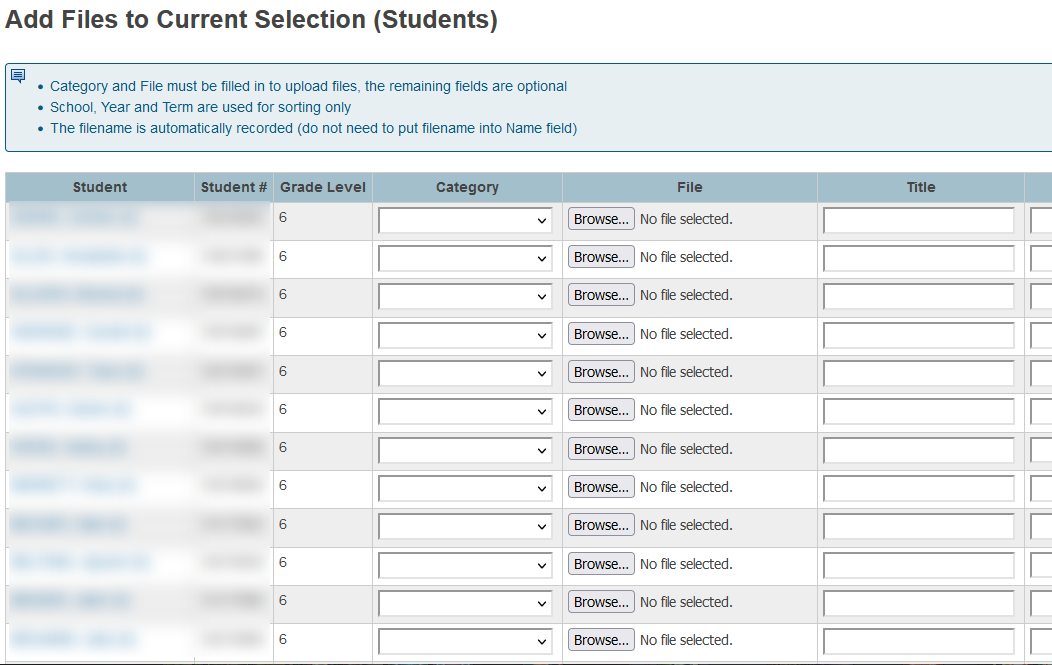
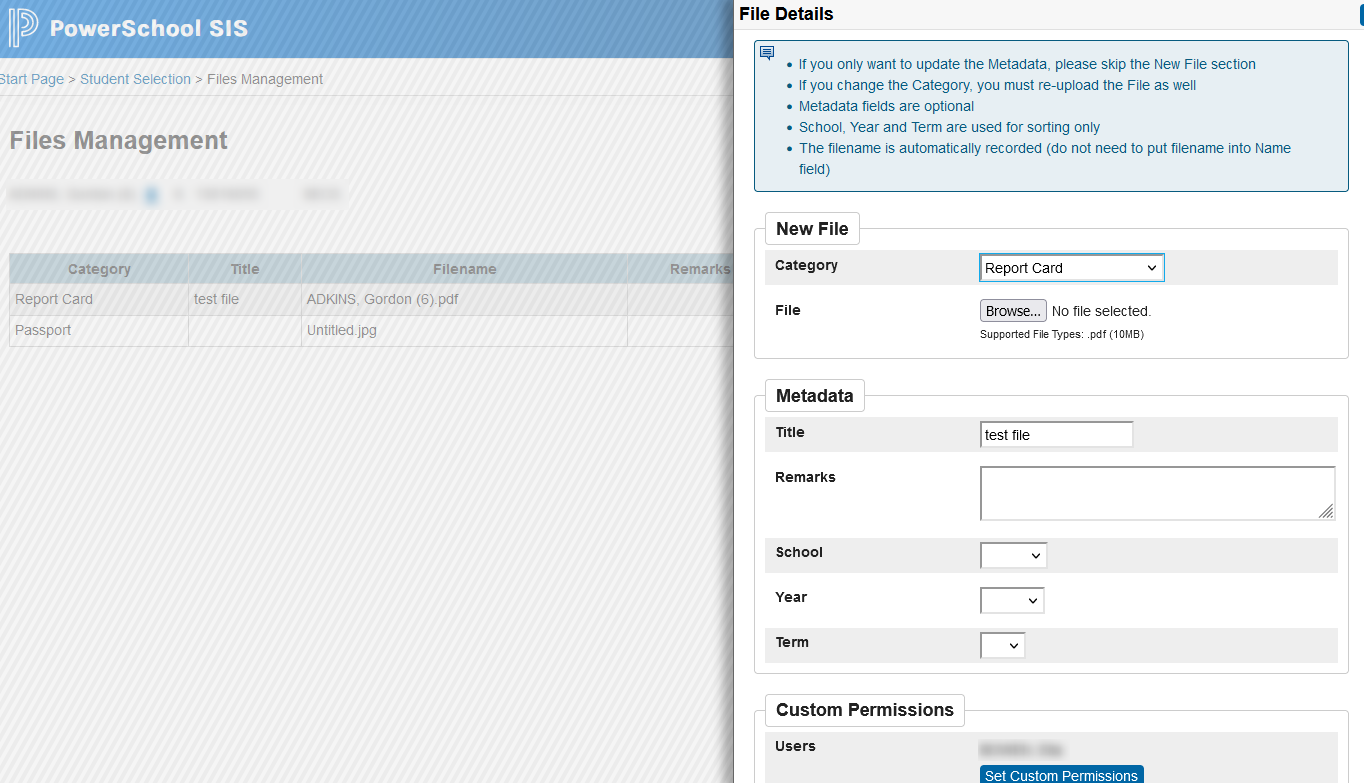
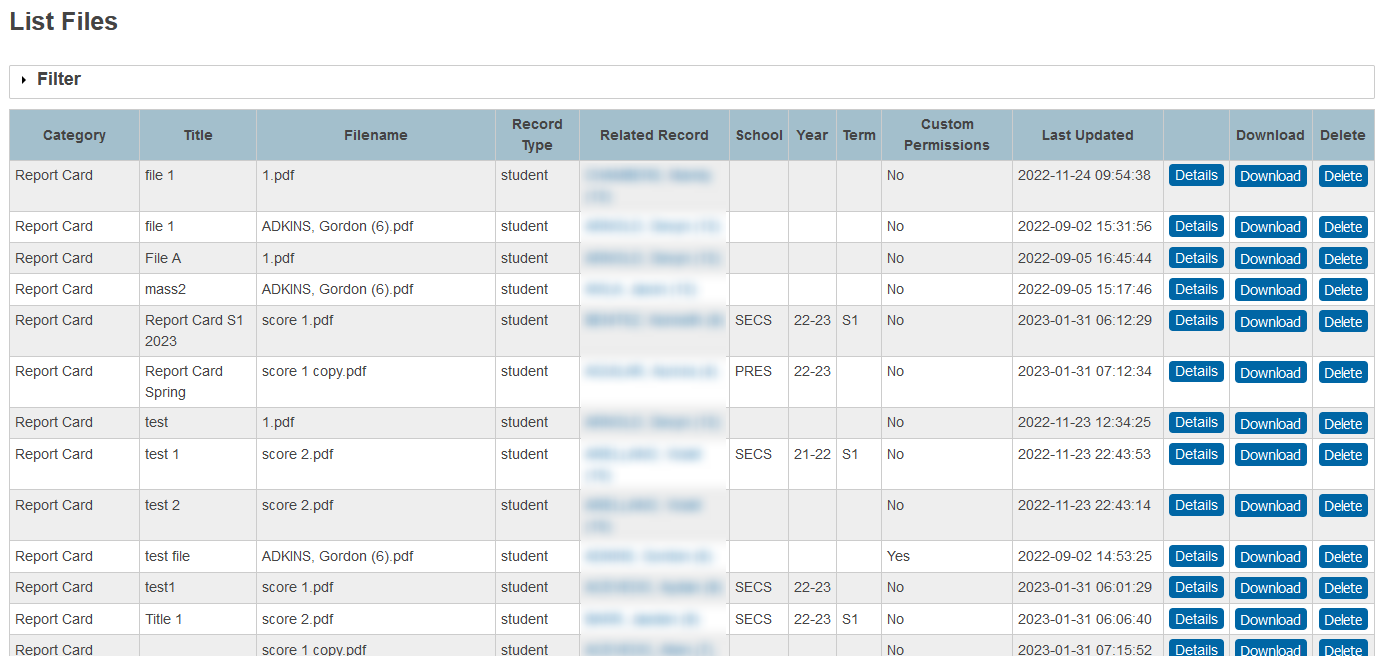
Upload all kinds of documents and manage your students/parents documents on your own server with the File Management Plug in.
Documents Upload
Ability for parents and teachers to upload documents inside the Public and PowerTeacher Portals respectively.
Flexibility & Control
Give permissions to groups or users in the admin portal on who can see, view or edit the files.
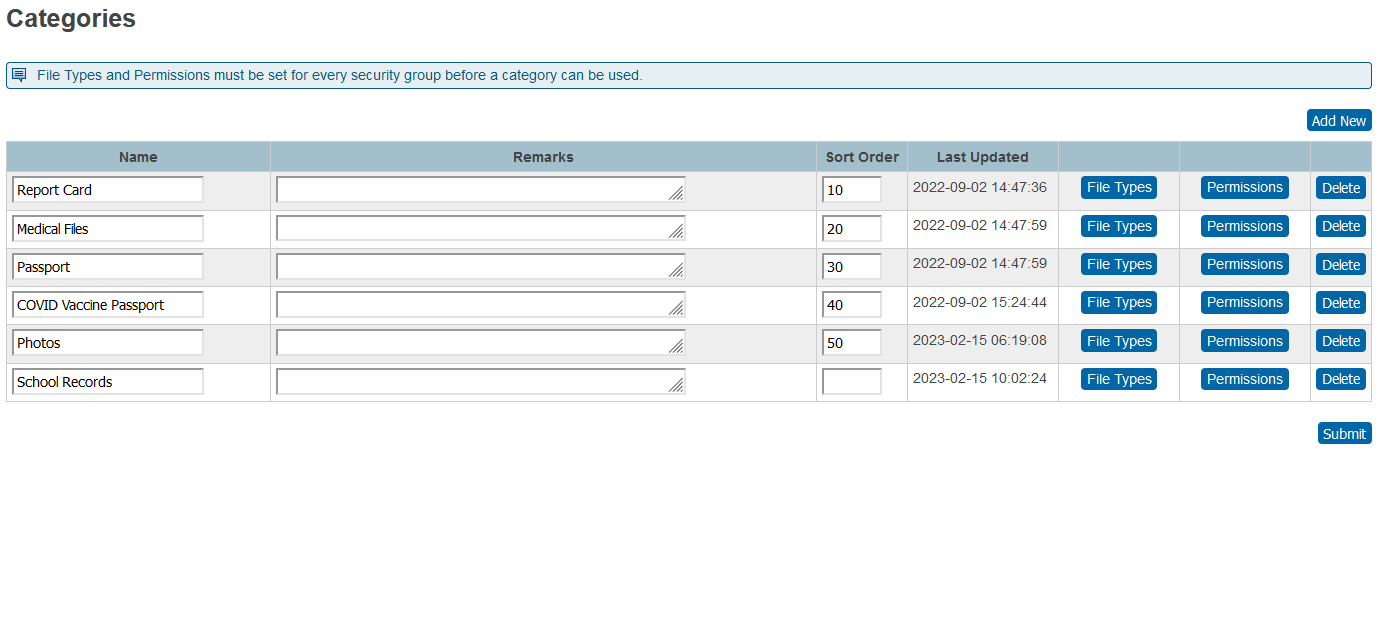
File Types
Any types of documents can be uploaded and you can setup categories to control what types of files will be accepted.
Mass Uploading
There are multiple ways to mass upload documents so you do not need to manually add documents one by one.
Reporting
Ability to see a report of files that were imported and other related information.
Attendance Notices
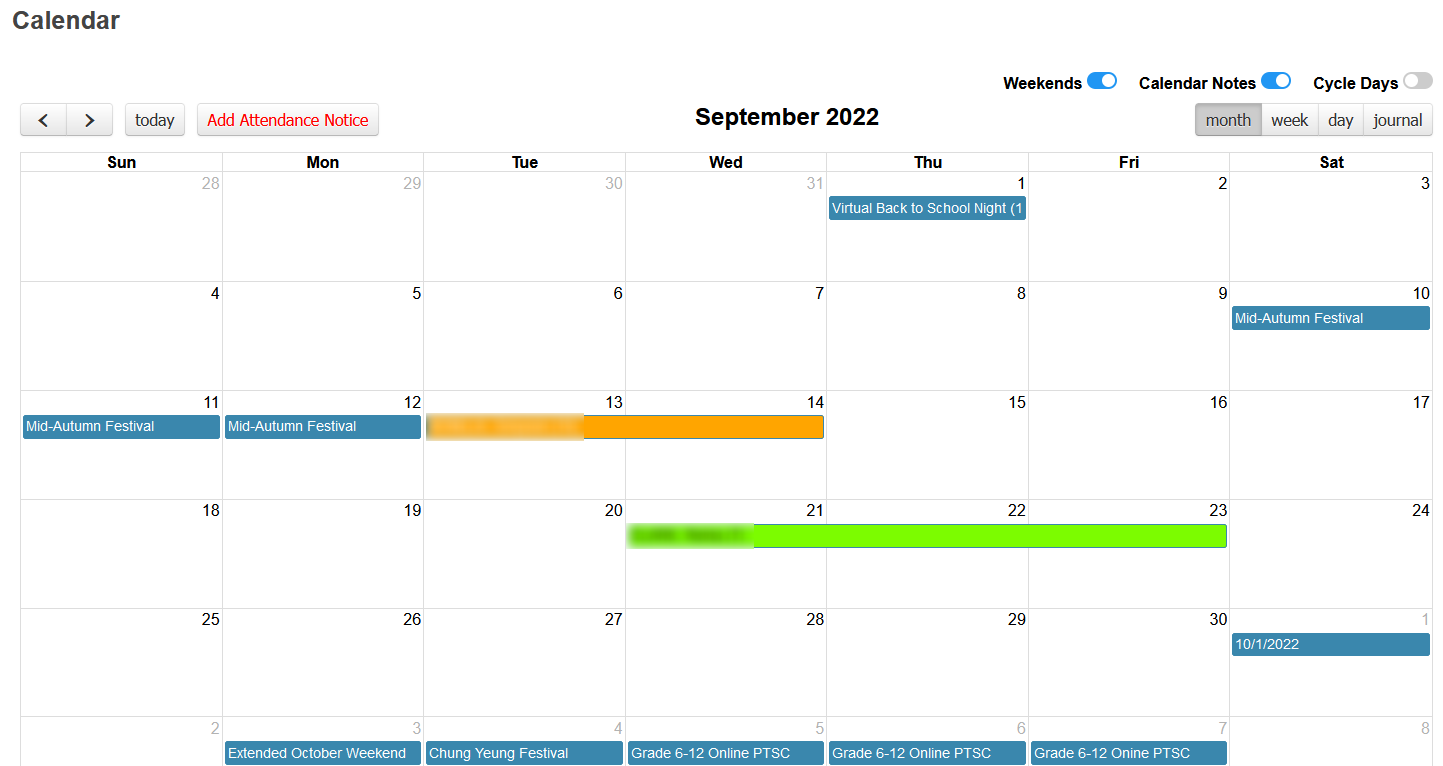
Everyday working with the attendance is a mess in the admin office as there is no way for parents to requests or inform the school regarding the absences or tardy of students. Parents normally will send an email, call on the phone or walk in to let the school know that their child is absent or tardy for the day or the coming days.
Attendance Requests
Parents can do an attendance requests for their child/ren online.
Approval
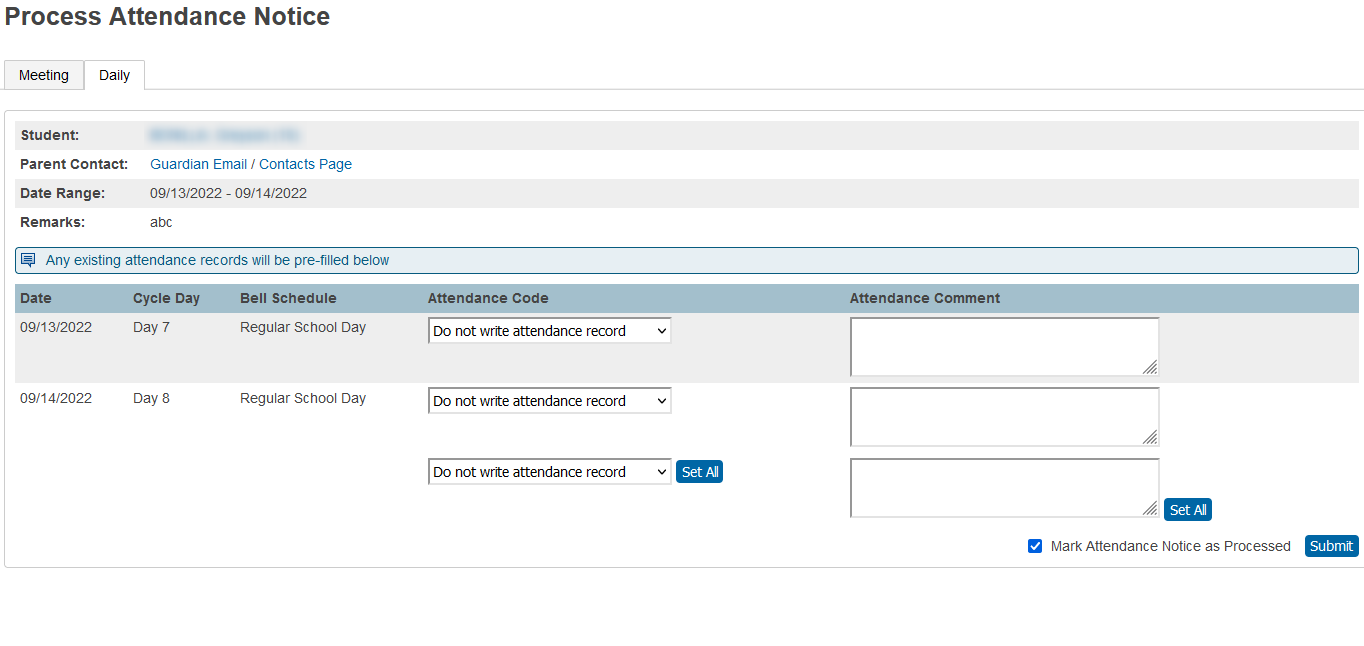
Ability for secretaries to approve the attendance request of the student on the admin side.
Notifications
Once processed or approved, teachers will know that the student is absent on PowerTeacher and parents will know that their requests was approved.
History
Reports and history of students requests.
Reports
Reporting made easy because the data are now stored in PowerSchool.
Mass Assignments Creation
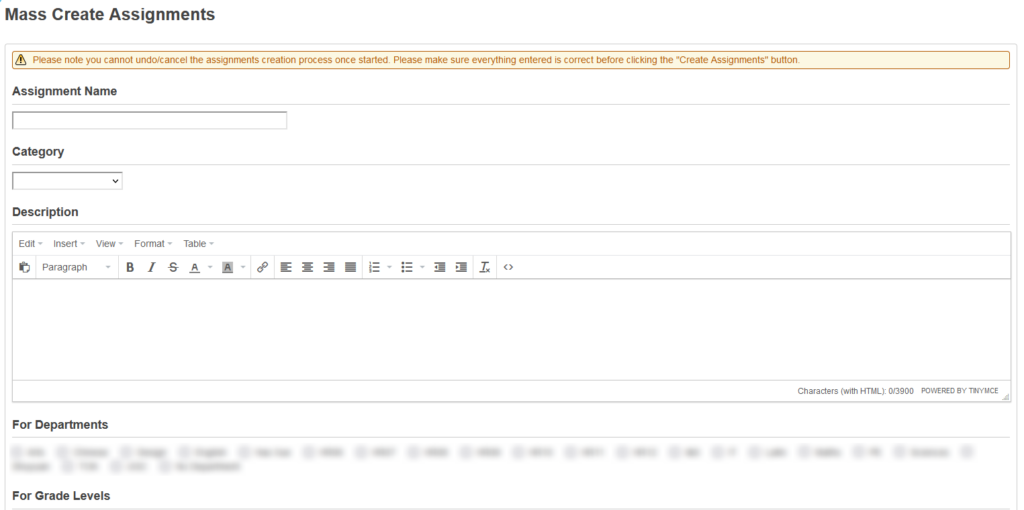
Ability for the Head Teacher to mass assign the assignments or activities with teachers in their group. This plug in saves a lot of time and energy to create the same assignments for all teachers.
Ease of Use
Easy to use and implement inside PowerSchool.
Saves Time
Instead of doing the activities or homework one by one by teachers, this plug in will mass assign to all teachers under the Head Teacher.
Fully Embedded
This plug in sits inside PowerSchool so no need for integration or log in to another system.
Settings
Set up is very easy for users on the Portal.